
Member InfoHub & Website Help
IIABSC members should be logged in for full access to member benefits & resources. Login area is in the top right corner of each webpage.
Forgot username and password?
When you click “Login” there is a “Forgot your password?” link to a tool where you can enter your email address and have your login information emailed to you. Contact our Director of Communications if you run into any error messages or problems in using this tool.
If you get an error message when you attempt to retrieve your login info (the system does not recognize your email address) please email our Director of Communications to be added to the system. Please include your full name, email address and agency name & location in your request.
Some items in the education calendar link to partner sites such as our Agents & Brokers Education Network (ABEN) with separate logins and registration process.
The following is instructions for course items that have “REGISTER” on the right side of the calendar item.
Steps for easy, secure online registration:
- Click on the link of the course name to to view the information page before registering. A new window will appear that has the details of your course/event including cost, times and location. Verify the course/event is the one you want and review all the details.
- Click “REGISTER” button.
- Members login (see page 6) at “Step 1: My information” to access member rates. Some fields will automatically be filled.
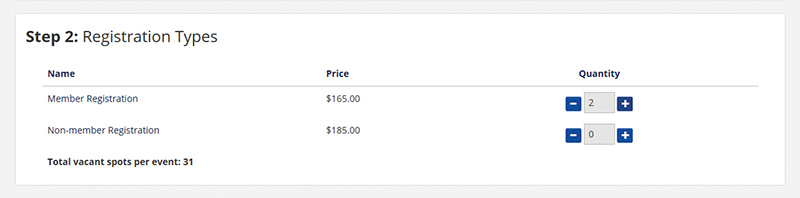
- Use the “+” and “–”buttons to select the number of attendees of each registration type in “Step 2: Registration Types.”
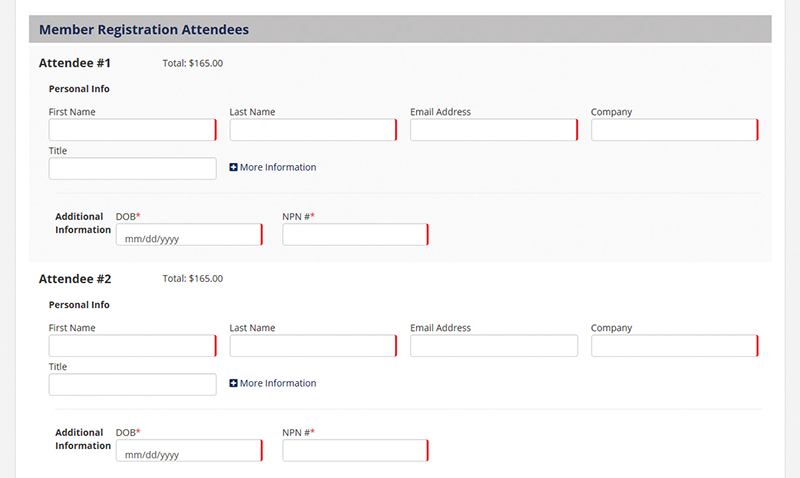
- Enter individual attendee information in “Step 3: Attendees” section. Required fields are starred.
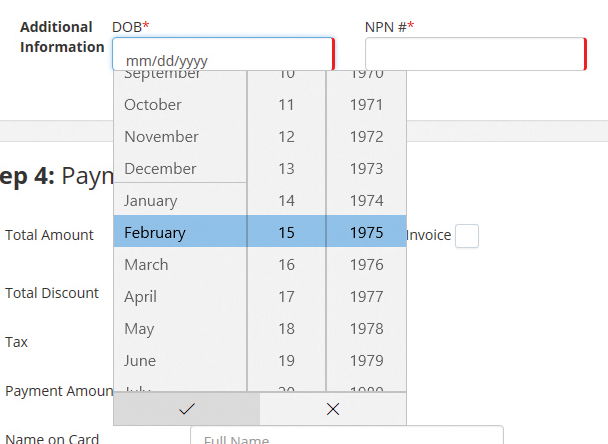
- If you do not enter the correct NPN and DOB for education courses, attendees WILL NOT receive CE credit. Click checkmark at bottom of the form to submit birthdate after Month/Day/Year items are selected.
- Unless the event is free, payment is required with registration. Enter complete payment information in “Step 4: Payment Information” fields. Click “Pay Now” button.
You can search our online education calendar by license type, designation or location. You can also filter to classroom or virtual classes only.
Search by date range: Click in “Show Events Happening” box in the search bar. Drop down menu will show options of “Today,” “This Week,” “This Weekend,” “This Month,” or “Custom,” where you can enter start and stop dates.
Search by course location: Click in “What are you looking for?” box in the search bar. Enter city location and then click “Search” button.
View ABEN webcasts only: Select “Categories” drop down menu in the search bar and select “ABEN Webcast.” Click “Search” button.
Search by specific designation: Select the designation from the list of keywords in the “Categories” dropdown menu on the search bar. Click “Search” button.
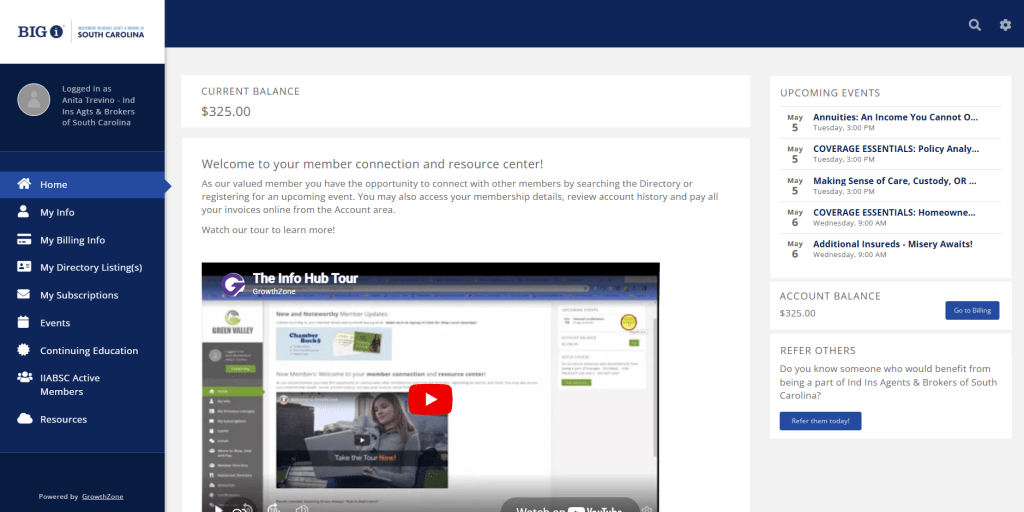
Access Individual & Business profiles:
- Steps to access Member InfoHub
- How to switch the organization you are logged in with
- How to view/edit your Business Profile
- How to view Business branch locations
- How to view/add individuals to your Business profile
- How to remove individuals to your Business profile
Access Membership & Billing info:
- How to access invoices
- How to set up a payment profile
- How to access membership info
- How to apply payment profile to dues invoice
This is not part of the panel